Math Test Paper Generator: Abacus, Sums and MCQs in One Paper
How a math test paper generator with abacus, vertical sums and fill-in boxes handles real Maths working, not just multiple choice.
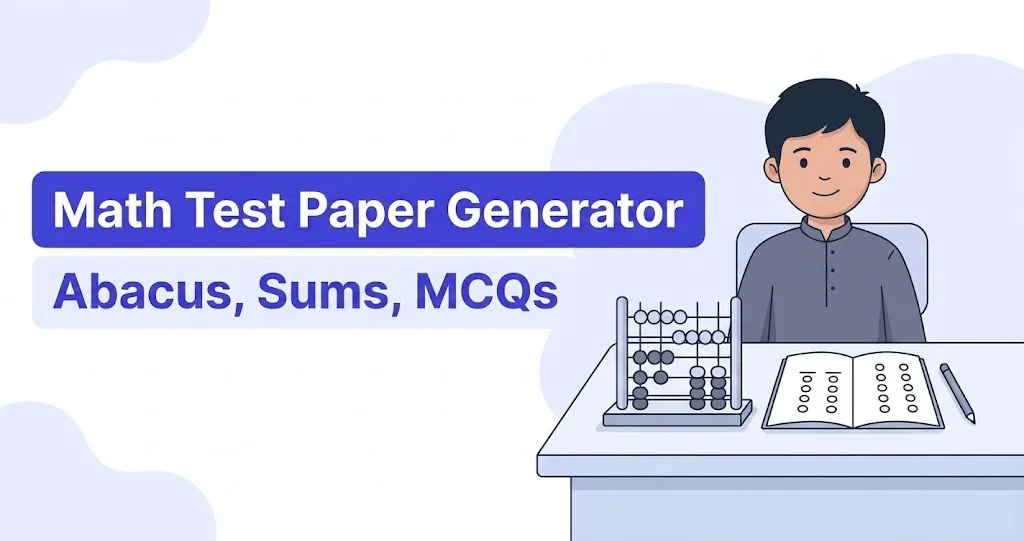
A Maths paper needs more than multiple choice: a class 3 paper wants vertical sums lined up correctly, a nursery paper wants abacus counting, and a class 8 paper wants a mix of quick MCQs and working-out space. Most generic paper tools only do MCQs well. A math test paper generator built with dedicated Maths question types handles the actual working, not just the final answer.
Question Types Built for Maths, Not Just MCQs
Alongside the usual MCQs with (الف)(ب)(ج)(د) options, a Maths-ready paper builder includes vertical sums for addition, subtraction and multiplication practice with the numbers aligned in columns automatically, abacus questions for early counting classes, fill-in boxes for missing numbers in a sequence or equation, matching columns for pairing a shape with its name or a number with its word form, and put-in-order questions for arranging numbers or steps correctly. One paper can mix several of these instead of forcing every question into an MCQ shape.
A single Maths paper often needs three or four of these side by side: a short abacus warm-up for the youngest classes, a block of vertical sums for the main working, a few MCQs to check whether a concept was understood, and a put-in-order question for sequencing skip-counting or ordering fractions from smallest to largest. Building all of that inside one paper means a teacher isn't assembling a test from three separate worksheets and stapling them together.
Building a Maths Test Paper, Step by Step
- Start a new paper and pick the class and topic - for example, class 3 addition and subtraction, or class 8 algebra.
- Add a vertical sums section first for any working-out questions - the numbers line up in columns the way a Maths copy would show them.
- For early classes, add an abacus section for basic counting practice before moving into written sums.
- Mix in MCQs for quick concept checks, fill-in boxes for missing numbers, and matching columns for pairing shapes, units or number words.
- Preview the paper before printing - check that the sums haven't split awkwardly across a page break, choose A4, Letter, Legal or A3, portrait or landscape, and print once it looks right.
- Save the paper to your account so next term's test on the same topic starts as a duplicate, not a blank page.
None of these steps needs a separate mode or template - vertical sums, abacus and MCQs all sit in the same editor as any other question type, so switching between them while building a paper is just picking a different section, not opening a different tool.
What This Looks Like for Different Class Levels
A nursery or KG Maths paper usually leans almost entirely on abacus and simple fill-in boxes for counting practice. By class 3 or 4, vertical sums for addition and subtraction take over as the main section, with a short MCQ block for quick checks. By class 7 or 8, MCQs and fill-in boxes handle algebra and geometry concepts, while put-in-order questions work well for sequencing steps in a multi-step problem. The question types stay the same across every level - what changes is which ones make up most of the paper.
Why a Dedicated Math Test Paper Generator Beats a Generic One
A generic MCQ-only tool forces every Maths question into a multiple-choice shape, which works for quick concept checks but not for a question that needs to see the working. A math test paper generator that includes vertical sums and abacus alongside MCQs lets a class 5 test paper look the way a Maths teacher actually wants it to look - some questions answered by circling an option, others answered by showing the steps. You can make one free and try both question types on the same paper before deciding whether to upgrade. If you're building for a specific grade rather than a subject, our guide to a class 5 test paper maker covers grade-level setup in more detail.
Checking a Maths Paper Before It Goes to Print
A Maths paper has a few failure points a Urdu or English paper doesn't, worth a quick check in preview before printing a class set:
- Vertical sums lining up in neat columns rather than drifting once a page break falls in the middle of a section.
- Enough working space left under each sum for the class level - a class 2 paper needs more room per question than a class 8 one.
- Numbers in fill-in boxes and matching columns matching the marks scheme, so a "2 marks" question isn't accidentally set up as a 1-mark fill-in.
- Abacus diagrams, where used, staying clear and large enough to count from rather than shrinking to fit more on the page.
These are quick checks, but they're the difference between a paper that photocopies cleanly and one that needs a reprint after the first copy comes out cramped.
Common questions
Does it handle long multiplication and division layouts?
The vertical sums section handles column-based working for addition, subtraction and multiplication, so numbers stay aligned the way they would in a Maths copybook.
Can I mix abacus questions with MCQs in the same paper?
Yes - any of the 13 question types can sit in the same paper, so an abacus section for younger classes and an MCQ section for quick checks can both appear on one test paper.
Does this work for every class, not just primary Maths?
Yes - the same math test paper generator works from early counting in the primary classes through matric-level Maths, since the question types and paper size are set separately from the topic.
Build the Maths section your class actually needs - sums, abacus or MCQs - instead of forcing every question into multiple choice just because that's what the tool does best.